
Subscription and billing
Overview
A paid subscription gives you access to HanziHero's full curriculum in both simplified and traditional Chinese. You can choose a recurring monthly or annual plan, or make a one-time payment for lifetime access.
To manage your subscription, click the profile icon at the top right of the application and choose Subscription. The subscription page shows the available plans if you have not subscribed, or your subscription details if you have.
Payments are processed securely by Paddle, our payment provider, so you may see its name on payment forms, receipts, and emails.
Plans and access
Free tier
You can try HanziHero without subscribing or providing payment details. The free tier has no time limit, so you can learn at your own pace before deciding whether to subscribe.
For each course, you can learn up to:
- 90 characters
- 140 curated words
- 100 dictionary items
The sounds and components needed for your character lessons are also included. You can continue reviewing items within the free-tier limits without a subscription.
These are overall learning limits, not daily allowances. Your daily lesson limits still determine how much new material you learn each day.
Monthly, annual, and lifetime plans
All three paid plans give you access to the full curriculum in both courses:
- Monthly renews automatically each month. The monthly option is labeled Pro on the plan-selection page.
- Annual renews automatically each year. Its displayed monthly equivalent is for comparison; payment is collected annually.
- Lifetime is a one-time payment with no recurring renewal.
See the pricing page for current prices. Local taxes may apply; review the final amount in checkout before paying. A subscription removes the free-tier limits, but your daily lesson limits and item-unlocking requirements still apply.
Subscribing
Choosing a plan
Open the subscription page and choose the plan that suits you. Click Subscribe beneath that plan to open checkout.
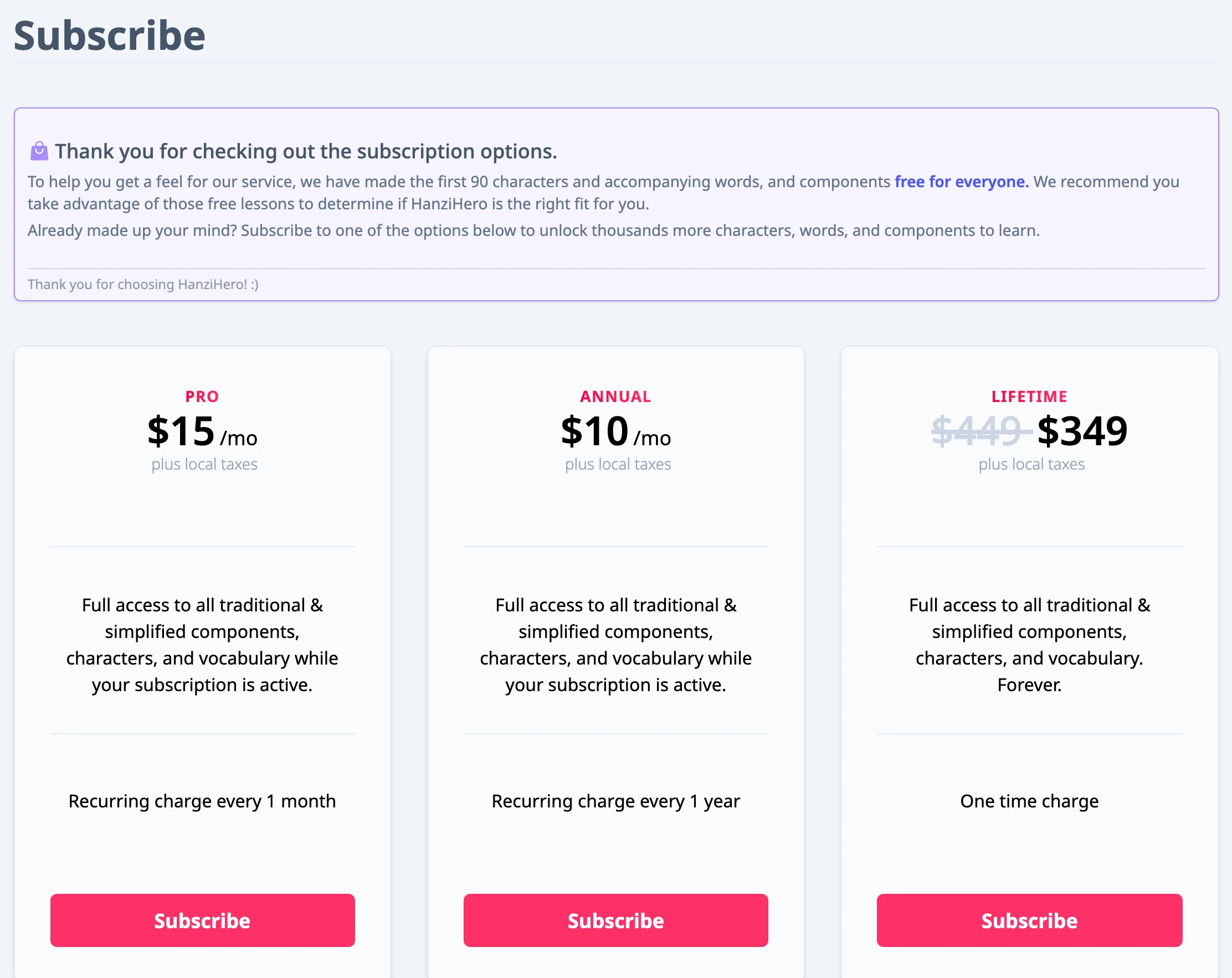
Paid plans include access to both the simplified and traditional courses.
Completing checkout
A checkout form opens over the page. Check the plan and email address, then provide the location and payment details requested by the form.
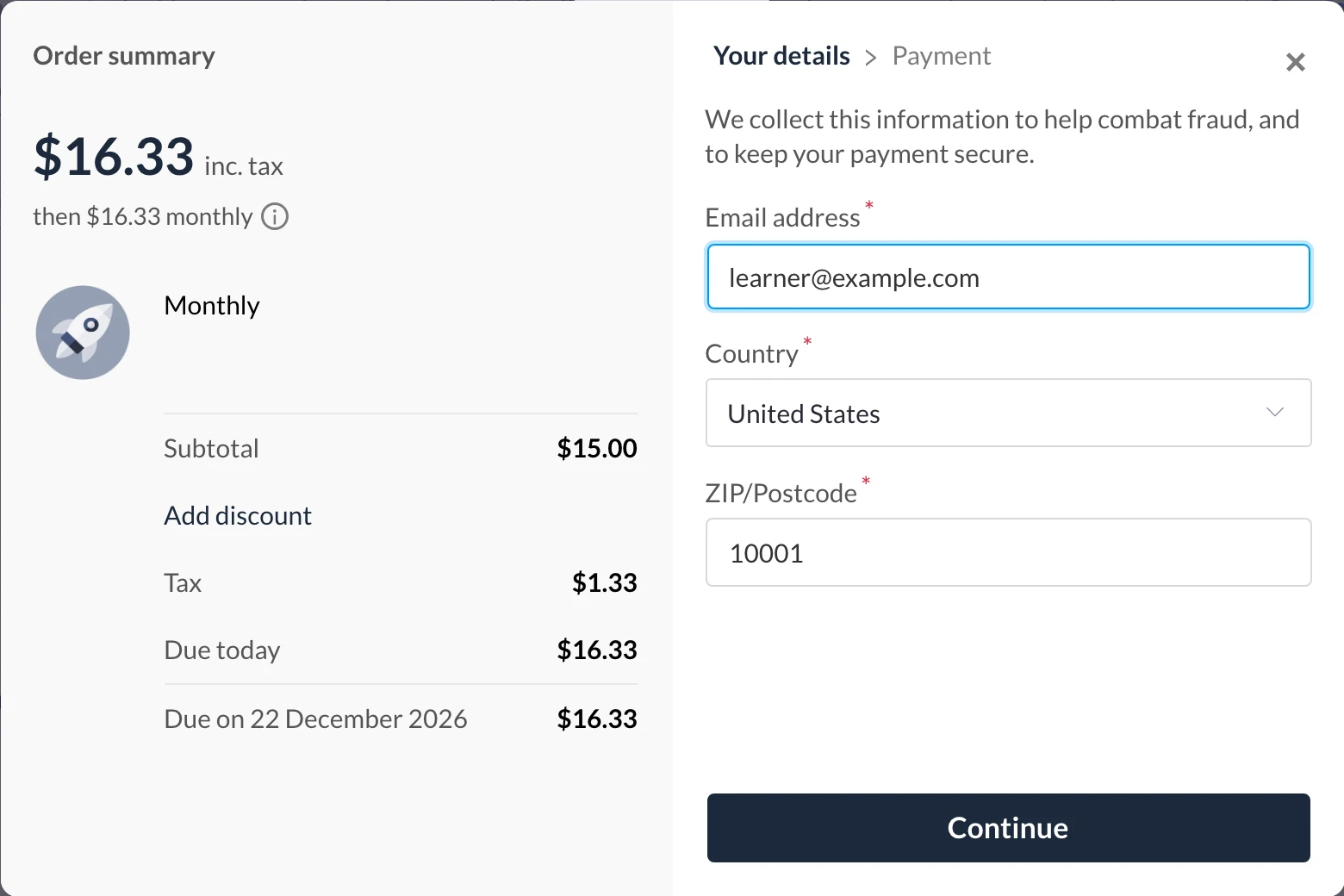
Review the total, including any applicable taxes, before confirming payment. For a recurring plan, also check the renewal amount and billing frequency.
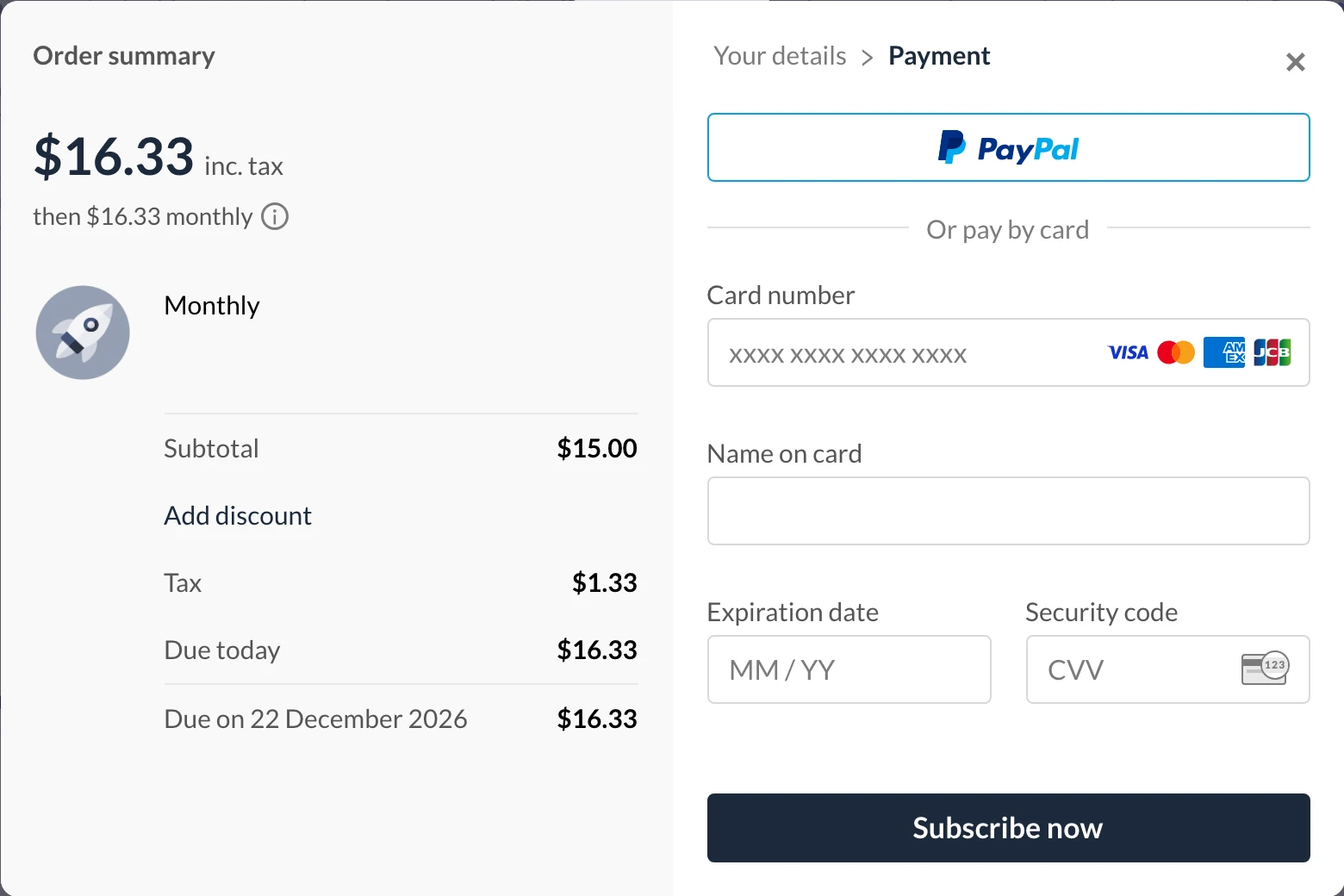
After a successful payment, you see a success message. Your account should be upgraded within a minute. Return to the subscription page to check your details. You also receive a payment confirmation by email.
If your payment succeeded but your account has not been upgraded after five minutes, contact us for help.
Viewing your subscription
Open the subscription page to see Subscription details.
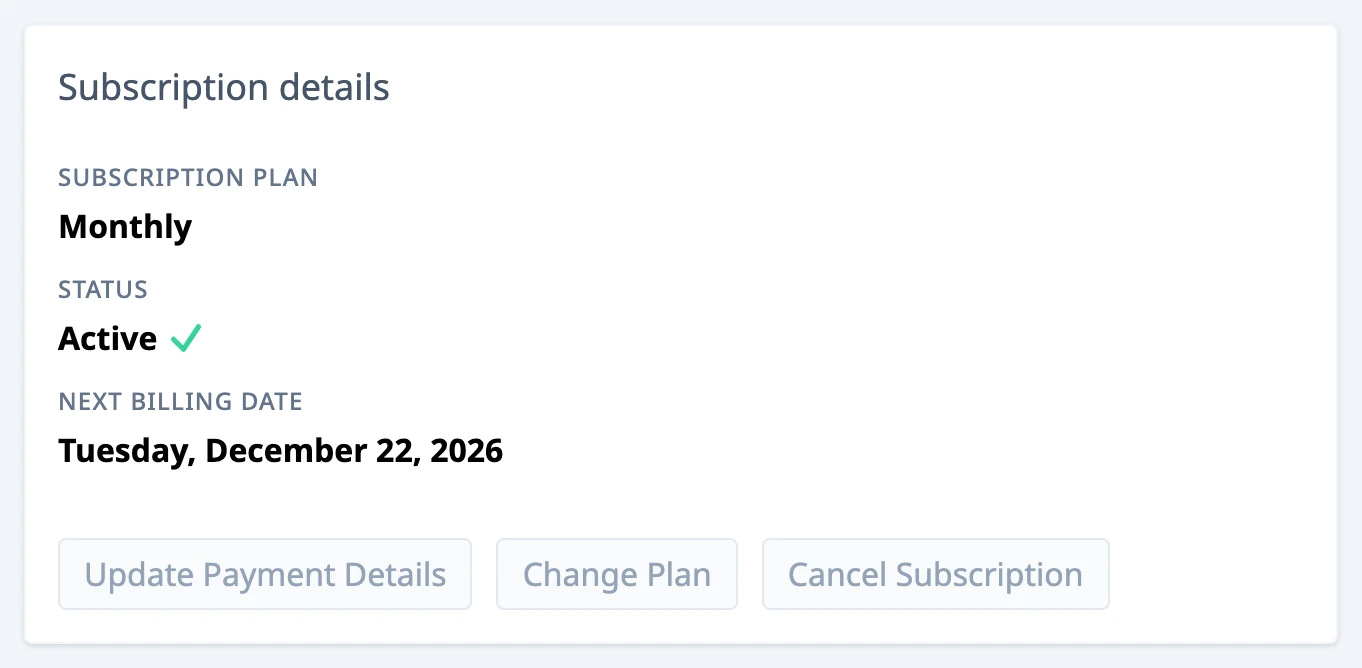
- Subscription Plan shows your current plan.
- Status shows whether your subscription is active, canceled, terminated, or in another billing state.
- Next Billing Date shows when a recurring subscription is scheduled to renew. Lifetime subscriptions do not have a recurring billing date.
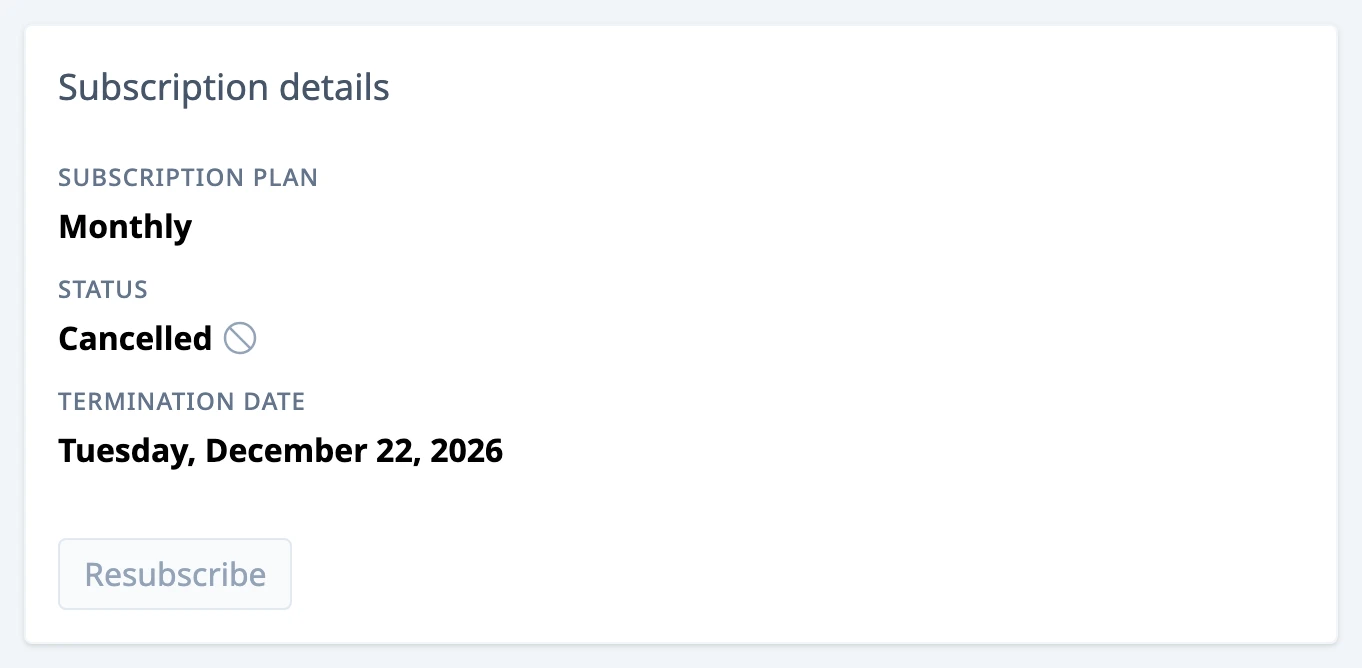
- Termination Date replaces the billing date after cancellation and shows the end of your paid access.
- Next Retry Date appears for a past-due subscription instead of the next billing date.
- Billing Rate, when shown, displays the recurring payment amount and currency.
The available buttons depend on your subscription's plan and status. An active recurring subscription normally offers Update Payment Details, Change Plan, and Cancel Subscription. A canceled subscription offers Resubscribe instead. If a payment is past due, use Update Payment Details to check your payment method; contact us if you need help resolving the billing issue.
Changing your plan
You can preview an upgrade before committing to it. The preview accounts for your existing subscription and shows the amount payable now. Review that amount rather than assuming the upgrade will cost the full price of a new plan.
Change Plan is available for eligible recurring subscriptions, but not for lifetime, canceled, paused, or past-due subscriptions. For a canceled subscription, use Resubscribe instead.
Upgrading to annual
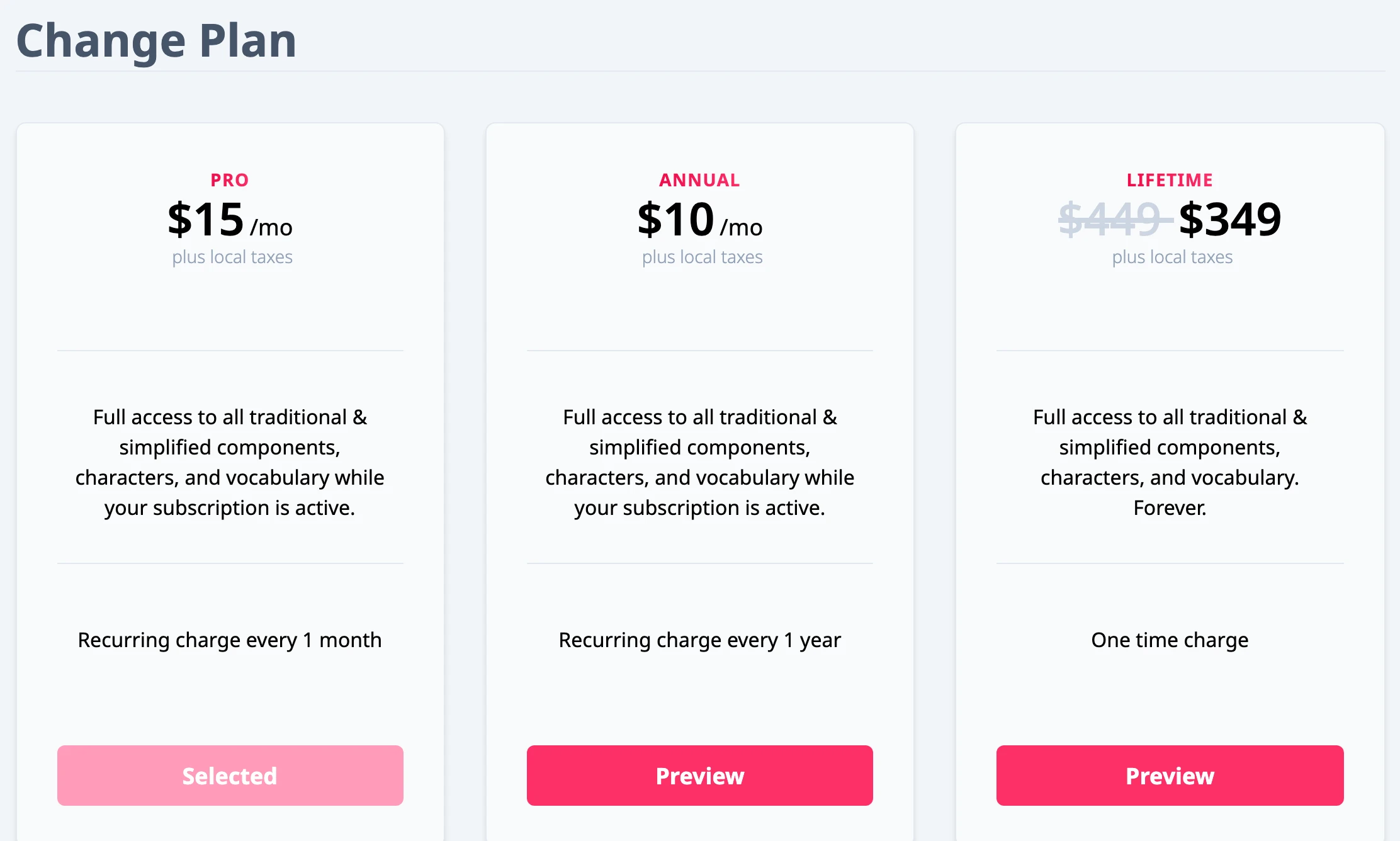
On the subscription page, click Change Plan, then Preview beneath Annual.
The Confirm Subscription Change page shows an Order Summary:
- Due today shows the immediate charge.
- Next payment shows the next renewal date and amount.
- Total due today shows the amount you will authorize.
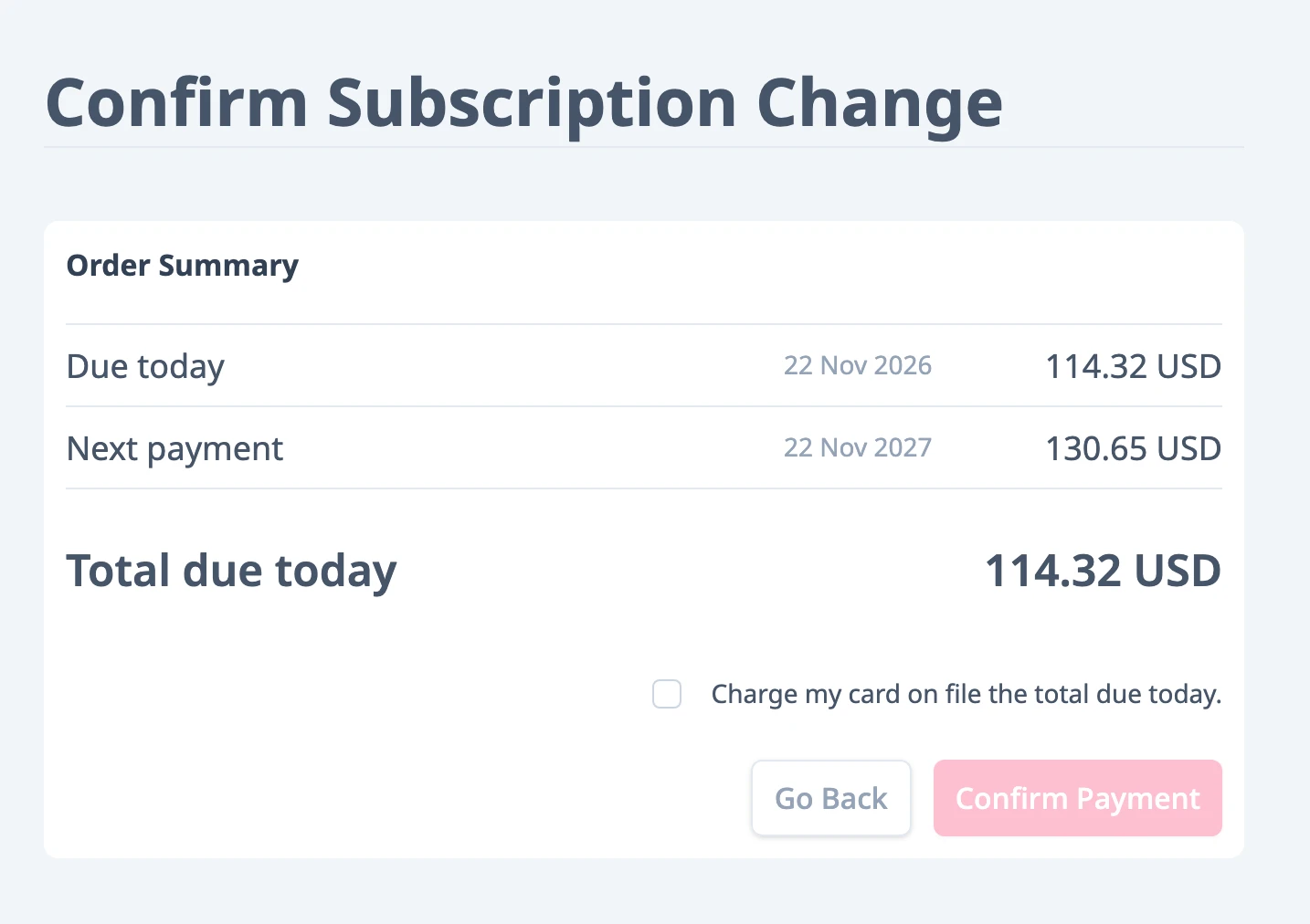
To proceed, select Charge my card on file the total due today. and click Confirm Payment. This charges your saved payment method; it is not just a request to change plans at the end of your current billing period. Use Go Back if you do not want to proceed.
After the change, check your subscription details and the renewal date shown there.
Upgrading to lifetime
From either a monthly or annual subscription, click Change Plan, then Preview beneath Lifetime.
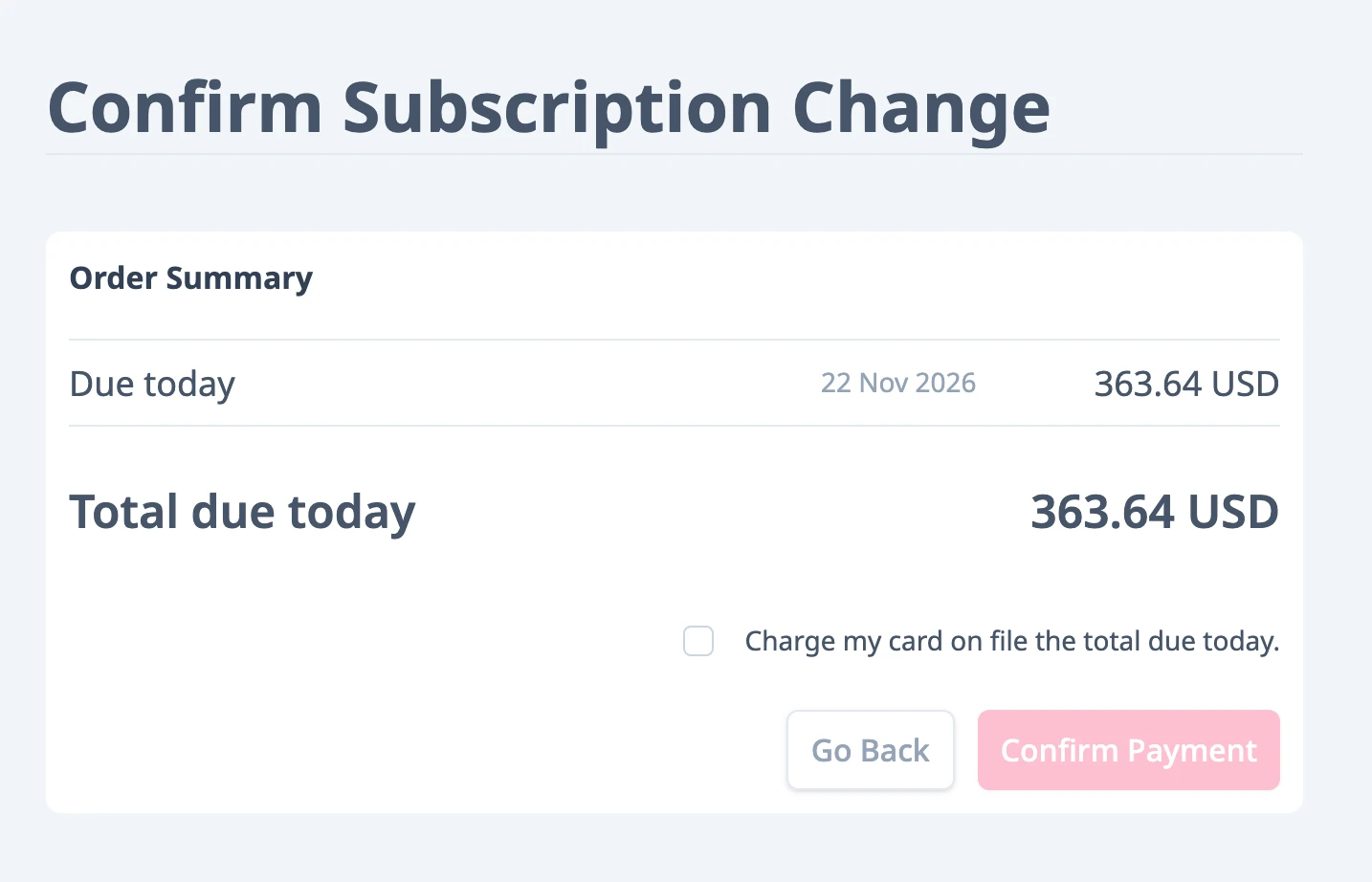
Review the Total due today, select the payment-consent checkbox, and click Confirm Payment to authorize the charge to your saved payment method. Your existing subscription is taken into account in the preview. Lifetime access has no further recurring payments.
Switching from annual to monthly
You cannot switch directly from annual to monthly through Change Plan. To move to monthly billing, cancel your annual subscription, keep using your remaining paid access, and resubscribe to monthly after that access ends.
Updating payment details
On the subscription page, click Update Payment Details. A form opens where you can update the payment method used for your recurring subscription.
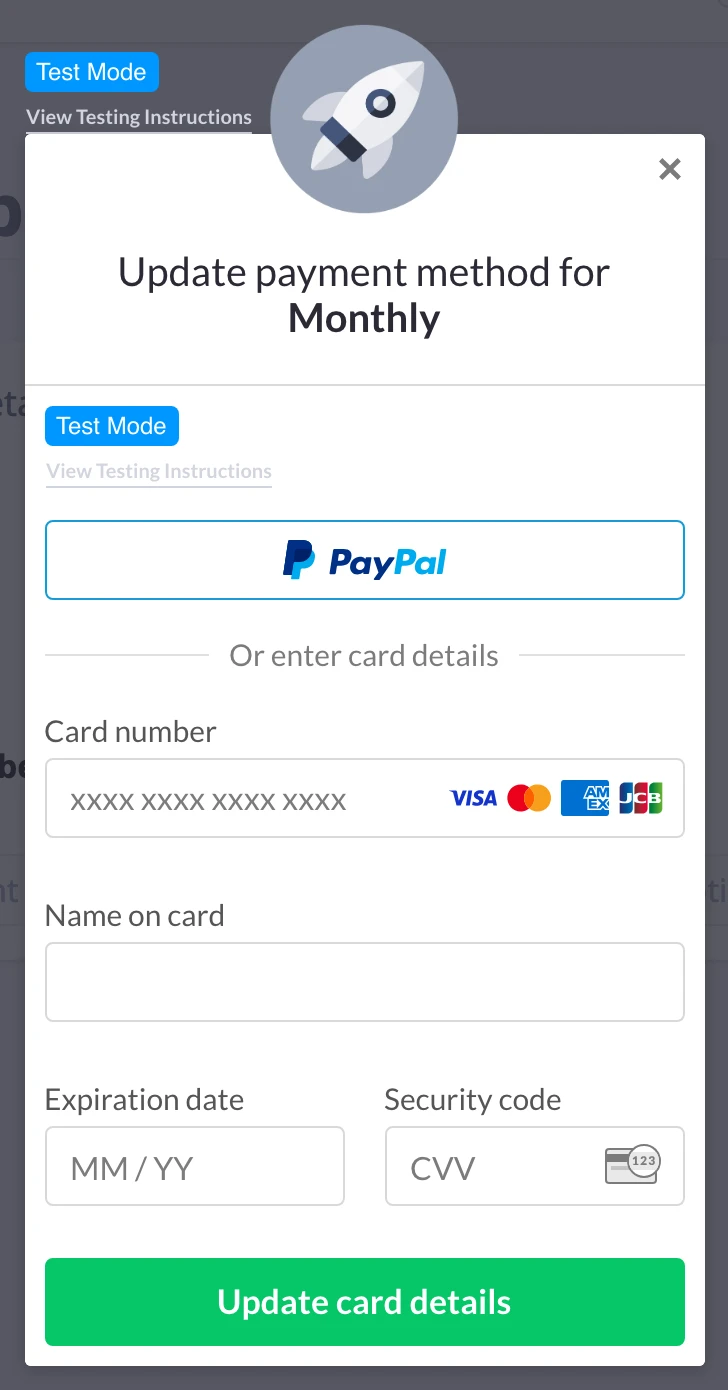
Complete the form and submit the update. Changing your payment details does not change your plan or cancel its renewal. Lifetime subscriptions have no recurring payments and do not show this button.
Canceling your subscription
On the subscription page, click Cancel Subscription. A cancellation form opens. Confirm the cancellation in that form; simply opening or closing it does not cancel your subscription.
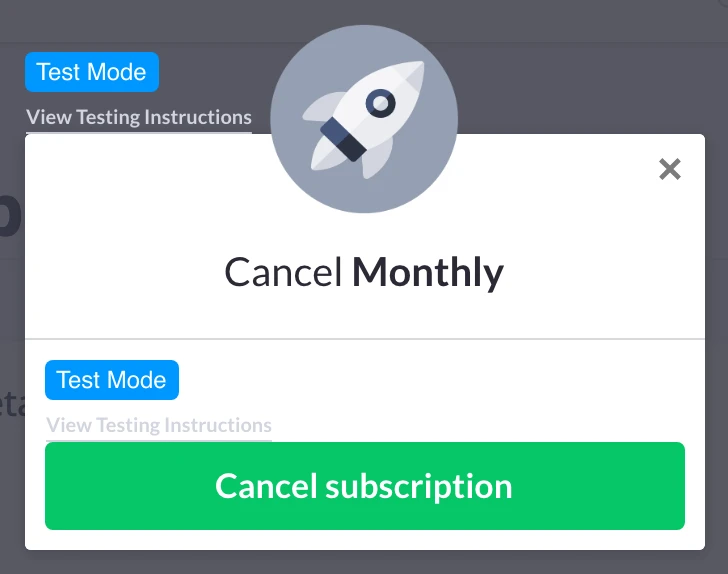
After your cancellation is confirmed, close the form and refresh the subscription page to check your updated status and termination date.
What happens after cancellation
Cancellation stops future renewals; it does not end the paid access you have already purchased immediately. You can continue learning and reviewing with paid access until the Termination Date shown in your subscription details.
Your account, progress, notes, and other study customizations remain in place.
Access after your subscription ends
Once your paid access ends, your account returns to free-tier access. Your study progress is retained, but lessons and reviews are restricted to the free-tier limits.
For reviews, HanziHero includes your earliest-learned 90 characters, 140 curated words, and 100 dictionary items in the selected course, along with learned sounds and components. Learned items beyond those limits are not included in your available reviews without paid access.
You can resubscribe to restore access to the full curriculum and reviews without starting over.
Resubscribing
If you previously canceled, open the subscription page and click Resubscribe. Choose a plan and complete checkout as you did when first subscribing.
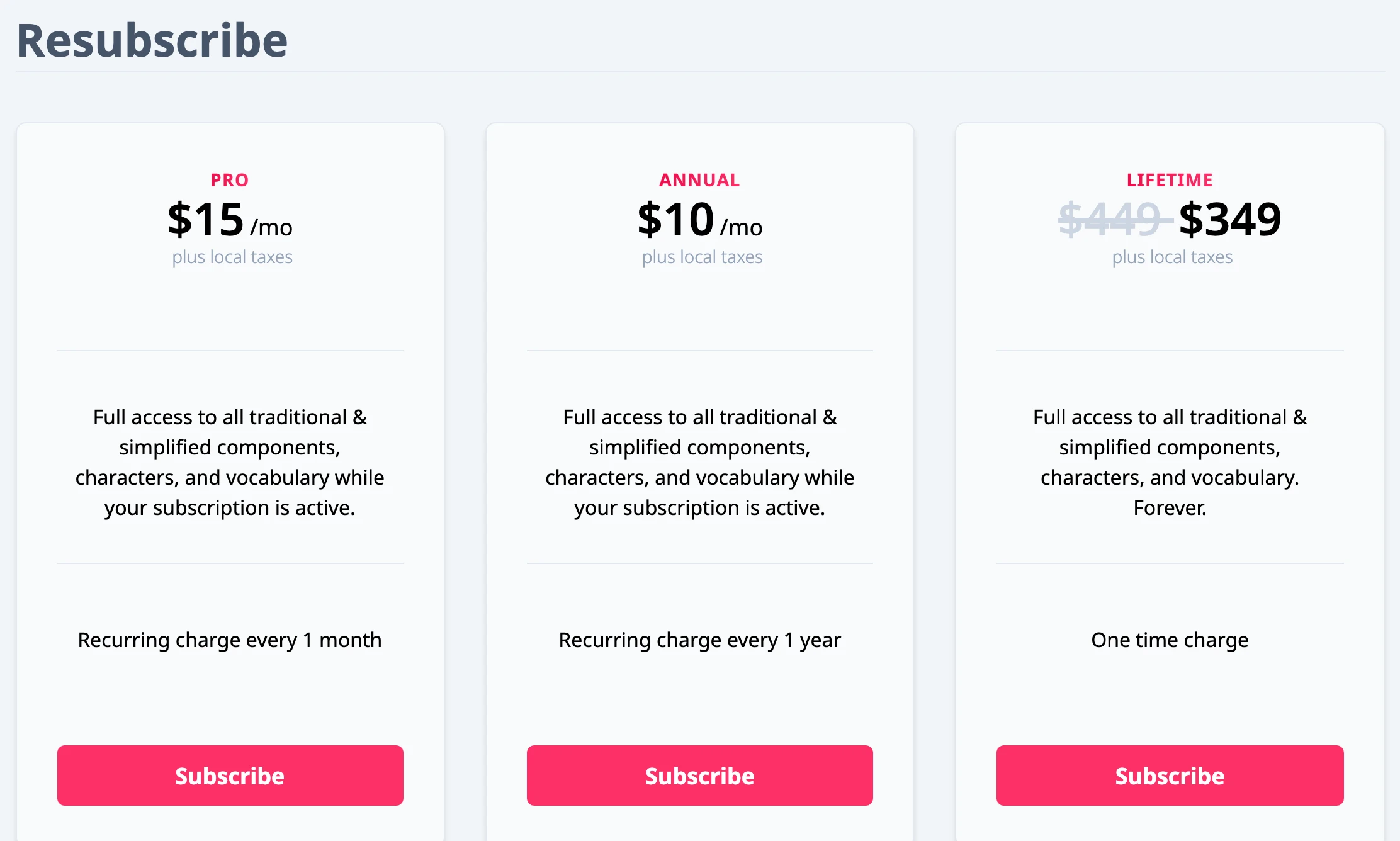
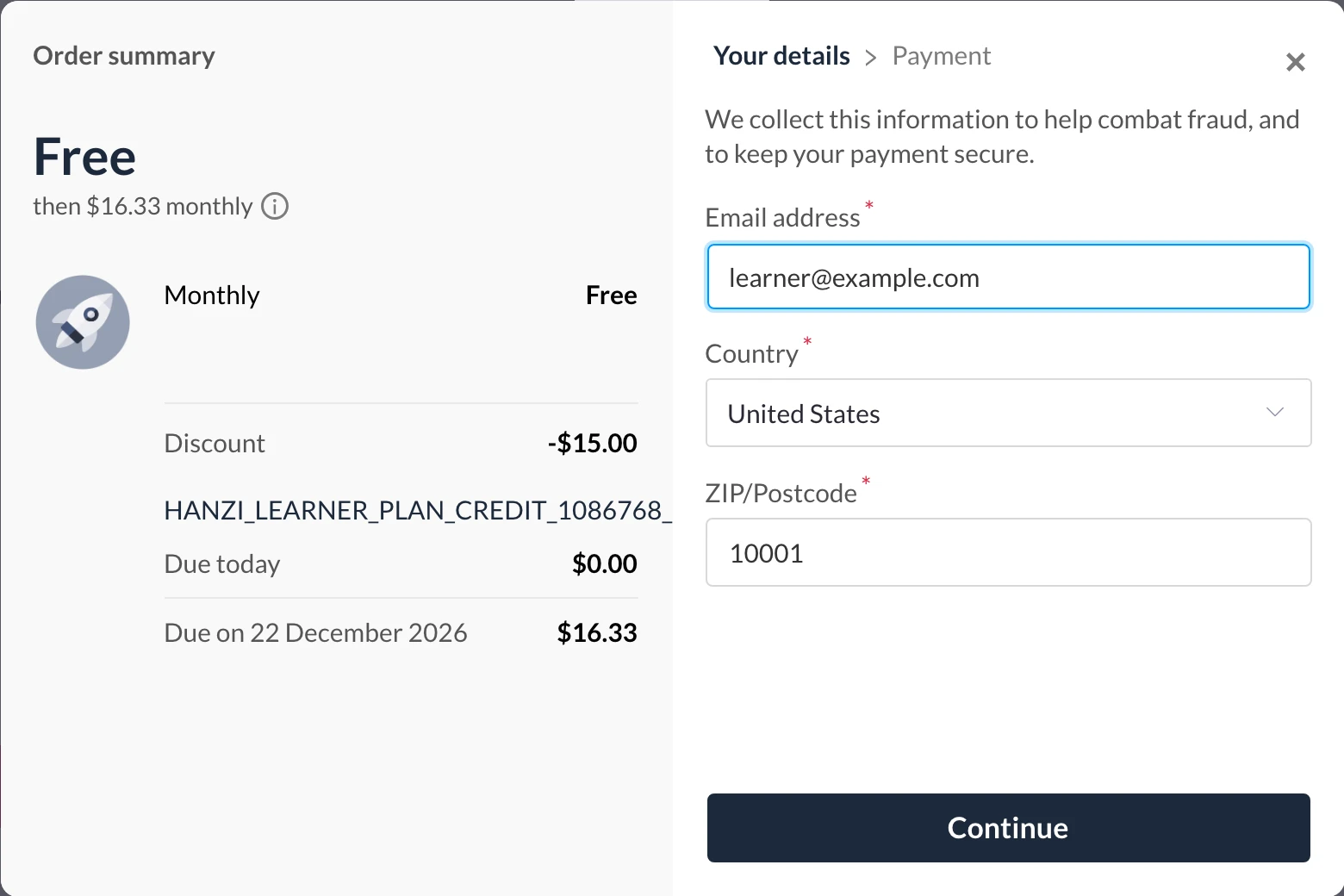
Resubscribing starts a new purchase; it is not simply undoing the cancellation of the previous subscription. Review the plan, any credit, taxes, and renewal terms in checkout before paying.
Before your paid access ends
If you still have unused paid time, HanziHero calculates a credit for the remaining balance and applies it as a discount in checkout when available. Check that the expected discount appears before confirming payment, and contact us if it does not.
If you have remaining annual-plan credit, the monthly option is unavailable on the resubscription page. You can choose annual or lifetime, or wait until your existing paid access ends before subscribing to monthly.
After your paid access ends
Once your previous subscription has terminated, there is no remaining paid-time credit to apply. You can choose monthly, annual, or lifetime and complete checkout at the price shown. After payment is processed, your paid access is restored and you can continue with your existing study progress.